case study

In this guide, you’ll learn what Google Word Coach is, how to play it, what types of questions it asks, how the picture-based questions work, how scoring works, why the quiz may not appear, and how to use it as part of a practical English vocabulary routine.
Google Word Coach is a free, interactive vocabulary quiz available through Google Search that helps users practise English vocabulary through short multiple-choice questions. Depending on the question, users may be asked to identify a word’s meaning, choose a synonym or antonym, or connect a word with a visual clue. The quiz provides feedback as users answer, making vocabulary practice more interactive than simply reading definitions.
You can access Google Word Coach by searching for “Google Word Coach” or related vocabulary queries on Google when the feature is available. It is a Search-based experience, so there is no need to download a separate official Google Word Coach app.
In this guide, you’ll learn what Google Word Coach is, how to play it, what types of questions it asks, how the picture-based questions work, how scoring works, why the quiz may not appear, and how to use it as part of a practical English vocabulary routine.
Google Word Coach is an interactive vocabulary quiz associated with Google Search. It helps users practise English vocabulary through questions that can test word meanings, synonyms, antonyms and, in some experiences, visual associations.
The quiz uses questions that can test different aspects of vocabulary, including:
The exact questions and presentation can vary.
The main idea is simple: Google Word Coach turns vocabulary practice into a short quiz that users can complete through Google Search.
Google Word Coach uses an interactive question-and-answer format.
A question is presented with multiple answer choices, and the user selects the option they believe is correct. After answering, the quiz provides feedback before moving to the next question.
Depending on the question, you may need to:
The quiz also uses scoring to make the experience more game-like.
Google Word Coach uses scoring to add a game-like element to vocabulary practice. Your score reflects your performance during the quiz, while the questions themselves focus on recognising and understanding words.
Because Google’s Search features can change, the exact scoring presentation may vary. If you’re using Word Coach for learning, focus on the words you get wrong rather than treating the score as the main goal.
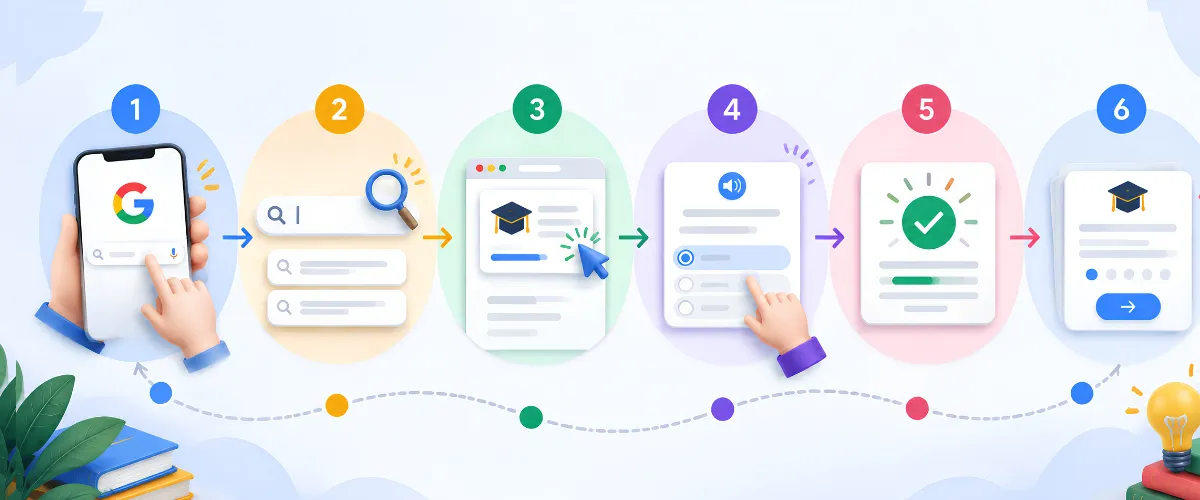
You can try Google Word Coach through Google Search when the feature is available.
Open the Google app or a browser on your smartphone and go to Google Search.
Search for:
Google Word Coach
You can also try:
Word Coach
If the feature is available for your search, Google may display the Word Coach card in the search results.
You may also encounter vocabulary-related features while searching for the meaning or synonym of a word.
Read the question and choose the answer you believe is correct.
After answering, check the result and use the feedback to understand the correct answer.
Continue answering questions when the interface provides additional rounds.
These questions test whether you understand what a particular word means.
For example:
What does “generous” mean?
You may need to select the definition that best describes the word.
This is useful for building basic word recognition.
A synonym is a word with a similar meaning.
For example:
Which word is similar to “rapid”?
You might need to select fast from the available choices.
Learning synonyms helps you understand different ways of expressing the same or a similar idea.
An antonym is a word with an opposite meaning.
For example:
Which word is opposite in meaning to “ancient”?
You may need to identify modern as the correct answer.
Understanding antonyms helps you learn relationships between words.
Some questions use images as visual clues.
This is commonly referred to as the Google Word Coach with pictures experience.
Instead of relying only on a written definition, you can use the image to identify the word or concept being tested.
Understanding a word in context is different from memorising its dictionary definition.
Context-based vocabulary questions require you to consider how a word relates to the surrounding information.
This can help learners understand how words are used in real communication.
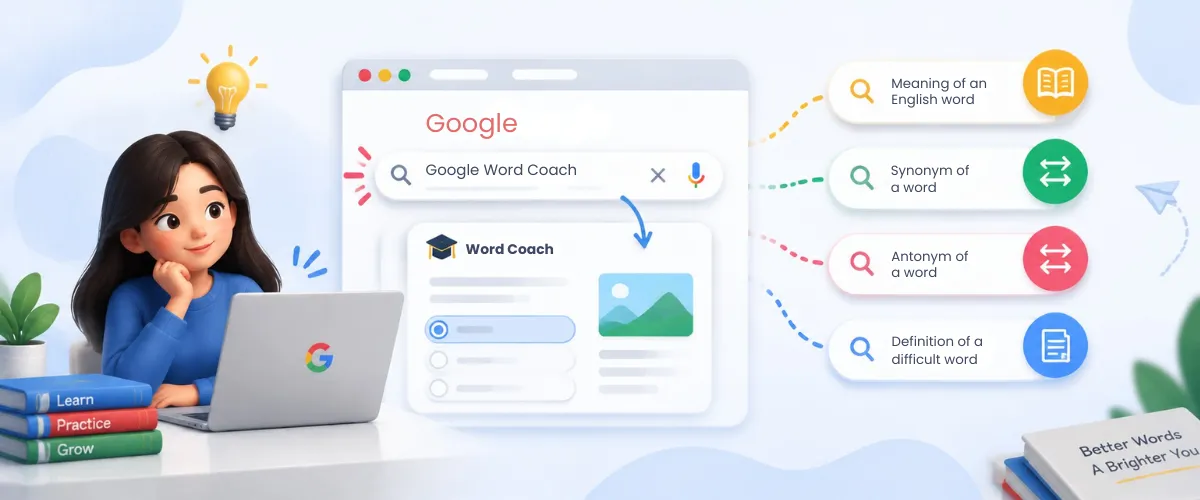
The simplest way to look for Google Word Coach is through Google Search.
Start by searching for Google Word Coach on Google. If the feature does not appear, try a related vocabulary search.
You can also try vocabulary-related searches such as:
Google Search features can vary based on the query, device, location, and current Search interface. Therefore, Google Word Coach may not appear every time you search for it.
If you cannot find the quiz using the exact phrase, try a vocabulary-related search.
Google Word Coach is not a standalone app that you need to download. It is a vocabulary experience associated with Google Search.
Searches for “Google Word Coach app” or “Google Word Coach download” may also surface third-party services. Check that you’re using Google’s Search experience rather than assuming a third-party app is official.
If you want to access Google’s Word Coach experience, start with Google Search rather than downloading an unofficial APK or application.
Google Word Coach with pictures refers to vocabulary questions that use images as visual clues. Instead of relying only on a written definition, the learner can use the image to identify or understand the word being tested.
For example, instead of learning:
Word → Definition
a visual question can create an association such as:
Word → Image → Meaning
This can be particularly helpful when learning concrete vocabulary because the learner can connect the word with something visually recognisable.
However, pictures are only one part of vocabulary learning. Learners should still understand the definition, pronunciation, context, and practical usage of unfamiliar words.
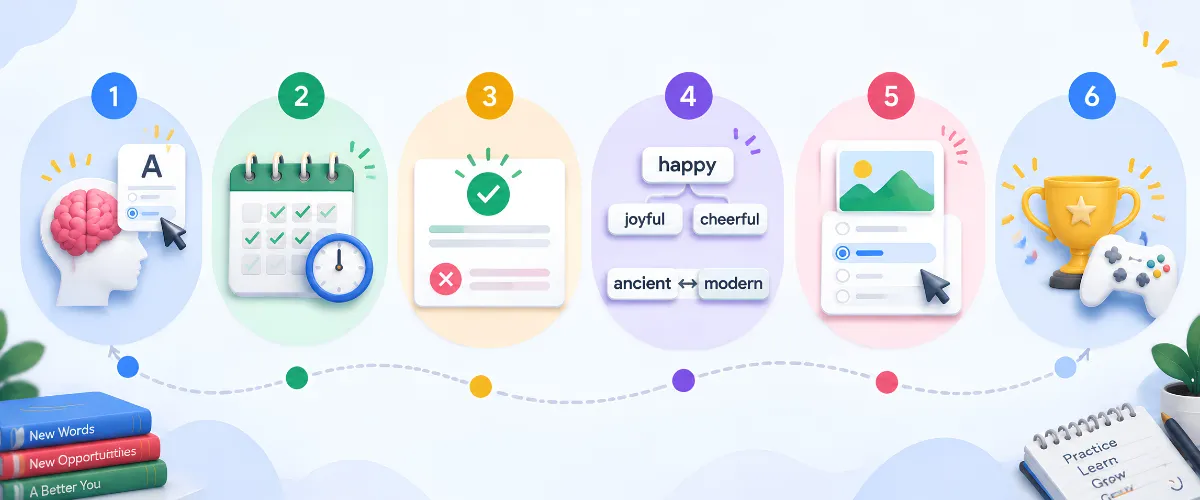
Google Word Coach can support vocabulary development by combining practice, recall, feedback, and repetition in a short quiz format.
Instead of simply reading a definition, you need to select an answer.
This requires you to retrieve or recognise information, making the activity more interactive.
Because the quiz is short, it can be incorporated into small daily learning sessions.
Regular exposure to unfamiliar words can help you gradually build vocabulary.
After answering, you can see whether your selection was correct.
This allows you to identify vocabulary gaps while the question is still fresh in your mind.
Synonym and antonym questions show how words relate to each other.
For example:
happy → joyful → cheerful
ancient → modern
Understanding these relationships can make it easier to recognise vocabulary in different contexts.
Picture-based questions provide an additional association between words and concepts.
This can be useful for learners who find visual examples easier to remember.
The quiz format turns vocabulary review into an activity rather than a passive reading exercise.
That can make short practice sessions easier to maintain.
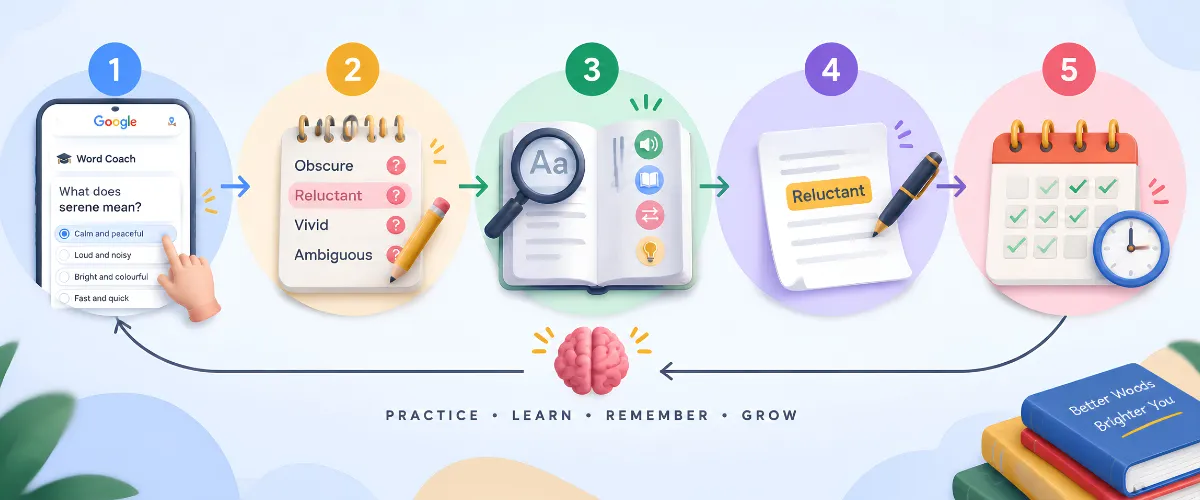
Simply playing the quiz is only one part of vocabulary development. To get more value from Google Word Coach, connect the words you learn with reading, writing, and everyday communication. Just as effective content marketing uses clear and meaningful language to communicate ideas, vocabulary becomes more useful when you understand how words work in context.
Use this process to get more value from it.
Complete a short Google Word Coach quiz.
Make a note of words you did not know or answered incorrectly.
Look up:
Create your own sentence with the new word.
For example:
Word: Reluctant
Meaning: Unwilling or hesitant to do something.
Sentence:
“She was reluctant to accept the offer without reviewing the details.”
Return to the word later and see whether you still remember its meaning.
This creates a stronger learning cycle:
Discover → Understand → Use → Review
Google Word Coach can be useful for different types of learners, but the way you use it may vary depending on your goals. The quiz works best as a quick vocabulary practice tool alongside regular reading, writing, speaking, or academic study.
Then add a concise table:
| User Type | How Google Word Coach Can Help |
|---|---|
| Students | Practise word meanings, synonyms, antonyms, and general English vocabulary |
| English Learners | Build vocabulary and become familiar with unfamiliar English words |
| Professionals | Strengthen vocabulary used in emails, reports, presentations, and workplace communication |
| Writers & Content Creators | Explore alternative words and improve understanding of language |
You can turn a short quiz into a practical daily routine.
Complete a short quiz.
Write down unfamiliar words.
Check the definitions, synonyms and example sentences.
Create a sentence using each new word.
Say the sentences aloud.
This approach shifts the focus from simply answering questions to actually learning and using vocabulary.
| Feature | Google Word Coach | Traditional Word Lists |
|---|---|---|
| Interactive quiz | Yes | Usually no |
| Multiple-choice questions | Yes | Usually no |
| Immediate feedback | Yes | Depends on the method |
| Visual questions | Some questions | Usually no |
| Quick practice | Yes | Yes |
| Active recall | Yes | Depends on the method |
| Speaking practice | No | Depends on the method |
| Writing practice | No | Depends on the method |
| Complete English course | No | No |
Google Word Coach can complement traditional vocabulary learning by providing quick practice, while reading, writing, listening, and speaking activities provide broader language practice.
A practical learning routine can combine Google Word Coach for quick vocabulary testing with reading, writing, listening, and speaking practice.
Google Word Coach is an interactive vocabulary quiz available through Google Search that helps users practise English words through questions about meanings, synonyms, antonyms and visual clues. It is designed for quick vocabulary practice and does not require a separate official app.
Google Word Coach can support vocabulary development, but it is not a complete English-learning course. For better results, use it alongside reading, writing, listening and speaking practice. A simple approach is to discover unfamiliar words, learn their meanings, use them in your own sentences and review them regularly.
For more practical insights on digital search and online content, explore more resources from Blacklisted Agency.