case study

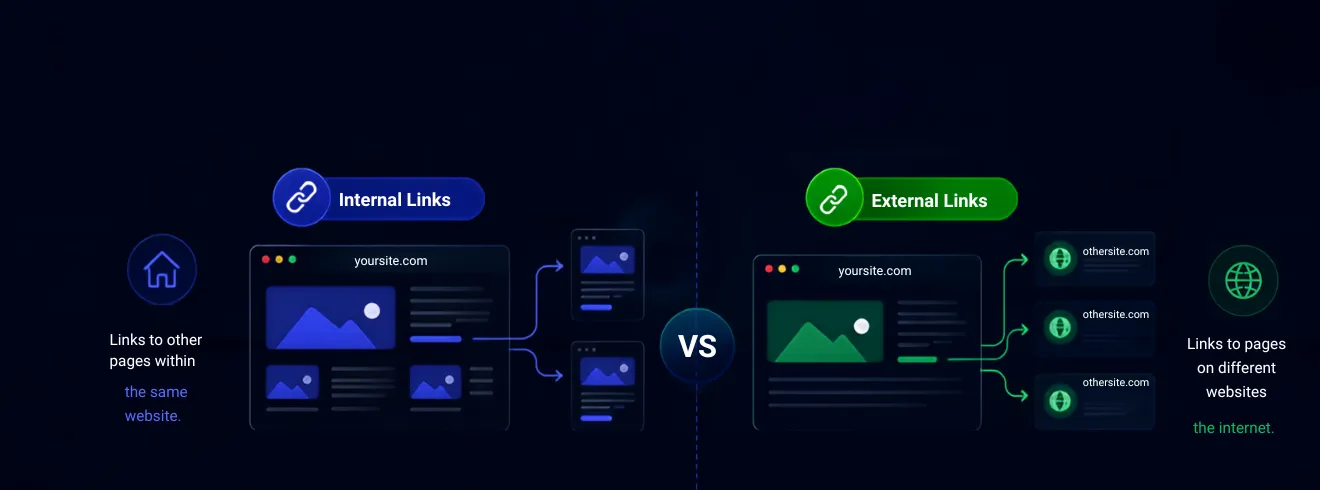
Take internal links as your website’s internal map and external links as your research bibliography. You need both to win at SEO. Internal links keep readers browsing your pages, while external links prove you are trustworthy. Fix broken links regularly to keep search engines happy and your traffic growing.
Internal and external links play a key role in how your website appears and performs in SERPs (Search Engine Results Pages). Internal links connect pages within your own website, helping users navigate content and allowing search engines to understand your site structure. External links, on the other hand, point to other websites and help build context, credibility, and trust signals for search engines.
Understanding the difference between internal and external links is important because both directly influence how your pages are discovered, interpreted, and ranked in SERPs. A strong linking strategy improves crawlability, strengthens topical relevance, and can support better visibility in both traditional search results and AI-powered search features. In this guide, we’ll break down internal vs external links, when to use each one, and how they impact SEO performance and SERP visibility.
How do you browse the web? You move from one web page to another using hyperlinks that redirect you to new pieces of content. This is what search engines do as well, but they have to know what links they encounter will have value. They need your help for that.
Hyperlinks are key to SEO because they help search engines discover pages, gauge the relationships between them and gauge authority. Every time Googlebot crawls a web page and examines its links, they act as ‘votes’ of confidence for the pages that the link points to. In other words, according to the popular hypothesis, quality links are the same as high-quality content.
To be noticed, your linking profile needs to balance five key elements:
Without proper hyperlinking, your best pages can remain hidden from search crawlers, preventing them from indexing your content entirely. While internal links help search engines discover content, understanding different types of sitemaps and implementing the right sitemap structure can further improve crawlability and content discovery.
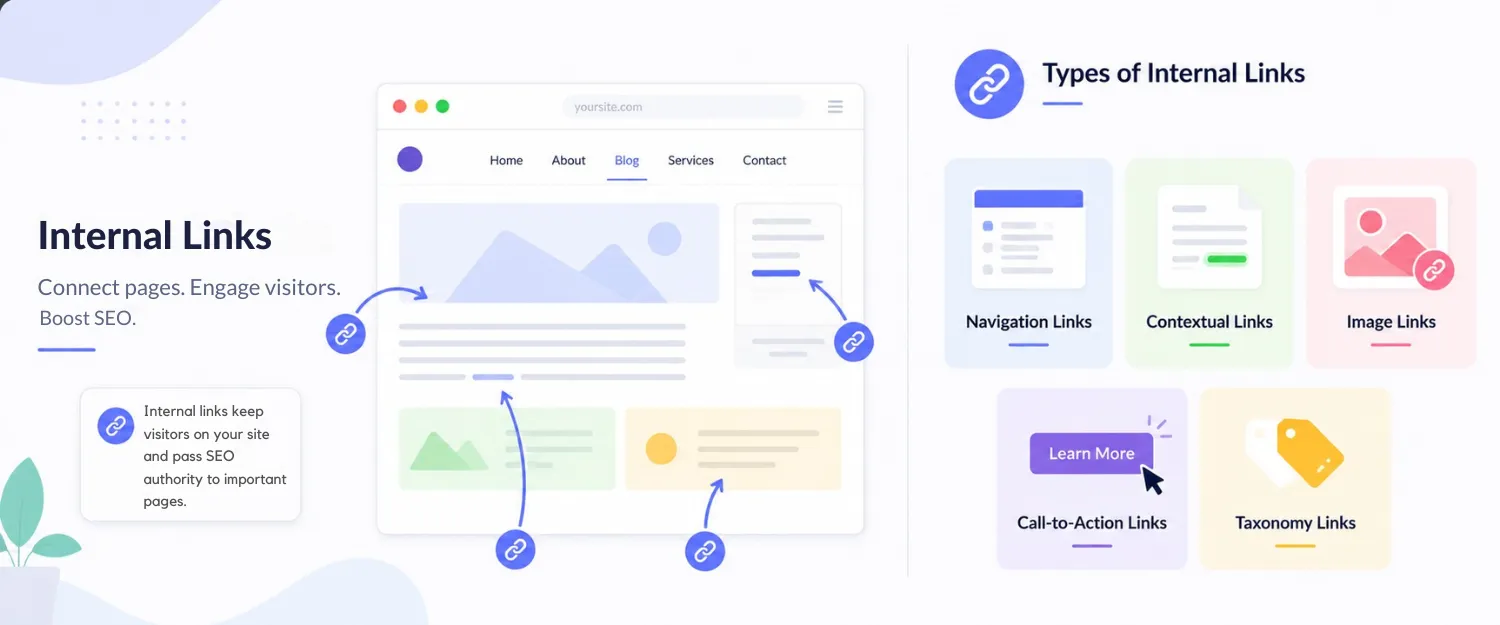
Internal links connect one page on your website to another page on the same domain. Visitors who click on an internal link remain on your website. Internal links keep people engaged, drive traffic to high-value pages on your website, and help pass SEO authority around your site.
Webpages that contain strategically placed internal links receive far more traffic from Google search than pages that do not contain internal links at all.
Let’s understand how both the user and search engines benefit from internal links:
| For Search Engines | For Users | ||
|---|---|---|---|
| Benefit | Impact | Benefit | Impact |
| Page Discovery | Google discovers new pages by crawling internal links. Unlinked pages may not get indexed. | Improved Navigation | Guides users to relevant content within the same website. |
| Site Structure | Internal links form the backbone of site architecture, guiding crawlers through content logically. | Lower Bounce Rates | Well-placed contextual links keep users engaged longer. |
| Authority Distribution | Passes PageRank and link equity from high-authority pages to lower-authority ones. | Content Discovery | Leads users to important pages relevant to their search journey. |
| Crawl Efficiency | Minimises clicks needed to reach key pages, preventing crawl budget waste. | Enhanced Experience | Streamlines exploration and discovery of valuable information. |
| Topic Mapping | Helps Google understand how topics relate and which pages are central. | Increased Session Duration | Users visit more pages and stay longer. |
| Search Clicks | URLs with dozens of internal links see significantly more clicks from Google Search than URLs with few internal links. | On-Page Engagement | Internal links reduce bounce rates and increase average session duration. |
Map out your top pages first. Build a clear hierarchy beneath them. This helps Google understand your content organisation.
Group related content around main “pillar” pages. Link supporting articles back to the pillar page. This creates a strong topic cluster that ranks well.
Place links naturally within your article body. Connect related pages so readers can explore more. This is better than hiding links in footers.
Write descriptive anchor text that tells readers what they’ll find. Avoid using generic text like “click here” or “read more”. Instead, use specific phrases that align with user intent and support your broader keyword research strategy.
Put important links near the top of your content. Google prioritises links it finds early. Don’t bury key links at the bottom.
Broken links frustrate users and waste Google’s crawl budget. You should check your site monthly for dead links and fix them as soon as possible.
Orphan pages don’t have any internal links pointing to them. Google may never discover orphan pages. Make sure you always link new pages from existing content.
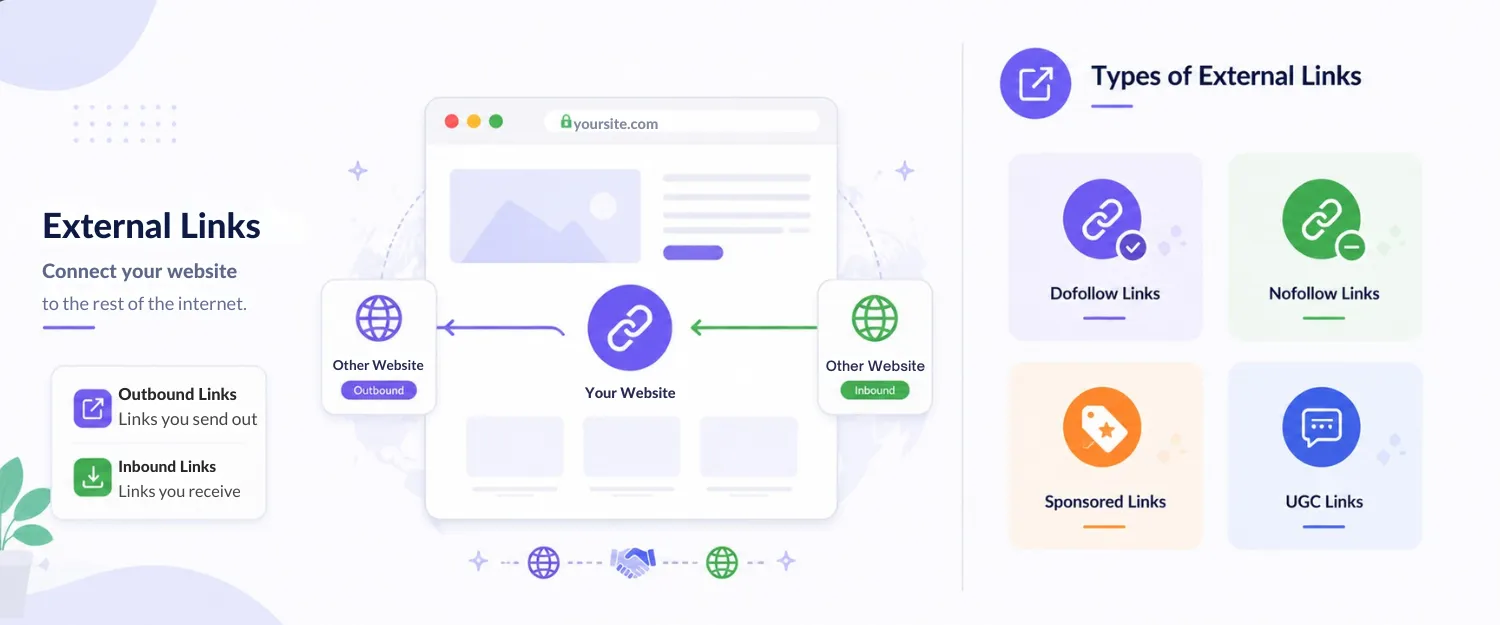
External links are like the roads that connect your website to the rest of the internet. They operate in two directions: outbound links (the ones you create on your content that send readers elsewhere) and inbound links (the ones other sites give you that bring visitors in).
By linking your site to other sites on totally different domains, external links help you branch out and connect to other parts of the internet.
| For Search Engines | For Users | ||
|---|---|---|---|
| Benefit | Impact | Benefit | Impact |
| Trustworthiness | Signals to search engines that your content is well-researched. | Amplified Credibility | Lends credibility by referencing reputable sources |
| Credibility | Establishes the site’s trustworthiness and helps gain search engine trust. | Additional Resources | Supplements content with diverse perspectives and useful references. |
| Context | Provides additional context about your content’s topic. | Comprehensive Experience | Gives users more thorough and complete information. |
| Source Citation | Demonstrates thorough research by citing authoritative references. | Networking | Builds connections with linked websites, potentially leading to backlinks. |
| Search Trust | According to Google, external linking helps establish a site’s trustworthiness. | Trust Improvement | External links improve webpage trust by offering readers diverse perspectives and authoritative resources. |
Note: External links do not directly benefit the SEO of the source site. Outbound links count as backlinks for the external authoritative sites, improving the linked site’s SEO performance. However, they indirectly elevate your SERP ranking by signalling trustworthiness.
Choose websites with high authority. Think government sites, universities, and industry leaders. Never link to spammy, unrelated or low-quality sites.
Only link to content that matches your topic. Don’t link to competitive sites or unrelated pages. This confuses readers and weakens your message.
Make your anchor text specific. For example, instead of using “this website strategy”, write “Blacklisted’s marketing strategy.’ It will help readers understand exactly what they’ll find.
Use 2-4 external hyperlinks per 1,000 words. Too many links distract readers and reduce time on your site.
Use rel=”nofollow” for untrusted sources. Use rel=”sponsored” for paid links. Use rel=”ugc” for user-generated content links.
Here is a clear distinction between the two hyperlinks as per their features:
| Strategic Feature | Internal Links | External Links |
|---|---|---|
| Where it goes | Links to pages inside the same website. | Links your site to a page on a different website. |
| Purpose | Guide users and crawlers within your website's ecosystem; enhance navigation, promote content discovery, reinforce hierarchy | Provide additional resources, references, and supporting evidence from other websites; expand information breadth |
| SEO Impact | Passes ranking power and optimises site crawlability. | Indirectly signals trustworthiness and research depth. |
| User Retention | Keeps visitors browsing inside your ecosystem. | Route visitors off your site to reference materials. |
| Control Level | You have 100% control over target URLs and text. You can adjust strategically to optimise UX. | Limited control; cannot control content or availability of external pages; vulnerable to broken links. |
| Metrics | Contribute to on-page engagement: reduce bounce rates, increase session duration, and direct to conversion funnels | Influence off-site metrics: referral traffic may reduce time-on-site if too many. |
| Link Tracking | Track performance within site analytics: user behaviour, navigation patterns, and click-through rates. | Limited visibility; requires UTM parameters to track clicks, but cannot track behaviour after users leave. |
| Best Quantity | 3 to 5 links per 1,000 words of content. | 2 to 4 links per 1,000 words of content. |
| Rel Attribute | NoFollow tags are rarely needed. They are needed only for login pages, profiles, and carts. | Frequently requires nofollow, sponsored, or UGC tags depending on context. |
| Risk | Broken links waste crawl equity but are easy to fix | Broken/decayed links are common; linking to spammy sites damages credibility |
In HTML, both internal and external links use the same anchor (<a>) tag. The only difference is what the href attribute points to. An internal link uses a relative path or a URL within your own website, while an external link points to a different domain using a full URL.
<a href="/services">Our Services</a>

<a href="https://www.yoursite.com/blog/seo-guide">Read our SEO guide</a><a href="https://example.com" target="_blank" rel="noopener">
Visit Example
</a><a> tag instead of generic phrases like “click here,” so users and search engines clearly understand the destination.target="_blank" to open links in a new tab, and always pair it with rel="noopener" for better security and performance.rel="nofollow", rel="sponsored", or rel="ugc" when you don’t want to pass SEO authority, such as for paid, untrusted, or user-generated links.Link building in SEO isn’t about adding random links. You need a strategic plan to bring your rankings up and make the readers trusting by using internal and external links.
Your visitors find your content easily. Google also knows your website. So, naturally, the rankings would be up.
Start today. If you really want your visibility to jump, see link building as an ongoing strategy. Do the technical audit, fix the broken paths, develop clear topics and then create purposeful links between the content.
Looking for a top SEO agency to conduct the technical audit and create a link-building blueprint for your brand? Connect with our team today.

We are your go-to source for everything digital. We cover marketing tips, design trends, new tech, and how to build your brand. Every post has useful information to keep you updated and ready to tackle the digital world. It’s not just articles; it’s a way to learn, grow, and connect with others navigating the same digital journey.