case study


Content clusters organise related content around a central topic using pillar pages, supporting articles, and internal links. They help build topical authority, target related keywords and search intents, improve site structure, and make content easier for users and search engines to discover. A strong content cluster starts with keyword research, clear topic mapping, useful content, and strategic internal linking.
Content clusters are an SEO strategy that organises related pages around a central topic to build topical relevance, improve internal linking, and help search engines understand your website’s expertise. A typical content cluster includes a pillar page covering a broad subject and supporting cluster pages that answer specific related questions.
Instead of creating disconnected articles for individual keywords, a content cluster connects relevant content into a clear information structure. This helps users discover deeper information while allowing your website to target multiple related search queries and search intents.
In this guide, you’ll learn what a content cluster is, why content clusters matter for SEO, how to choose topic clusters, and how to create an effective content cluster strategy that strengthens your site’s organic search visibility.
A content cluster is a structured group of webpages that covers different aspects of one broader subject. Instead of publishing unrelated articles, you organise them around a central topic and connect them through relevant internal links.
A typical content cluster has three core components:
For example, if SEO Strategy is your main topic, your pillar page could cover the overall strategy, while supporting pages could focus on B2B SEO strategy, ecommerce SEO strategy, technical SEO, local SEO, and SEO content strategy.
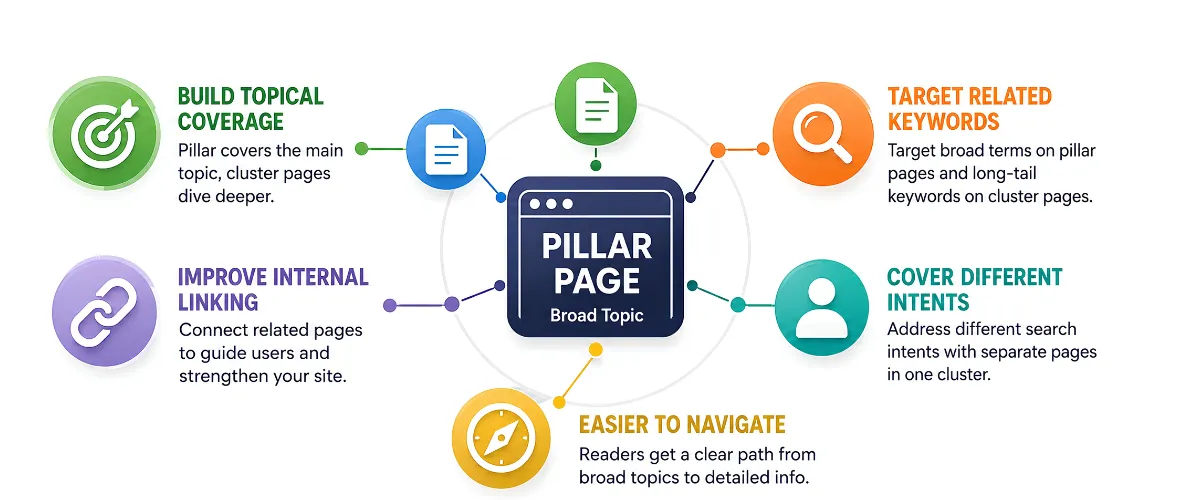
Publishing individual blog posts around random keywords can leave your website with useful information that feels disconnected. For example, a blog explaining what is SERP can become more valuable when connected to related content about keywords, search intent, and SEO strategy. Content clusters bring these related pages together, making it easier to cover an important topic, strengthen internal linking, and guide readers to the information they need.
| Benefit | How It Helps SEO |
|---|---|
| Build Topical Depth | Cover a broader subject through a pillar page and relevant supporting content. |
| Target Related Searches | Create focused pages for related questions, subtopics, and long-tail keywords. |
| Strengthen Internal Linking | Connect relevant pages so users and search engines can discover related content more easily. |
| Organise Your Content | Create a clear publishing framework and reduce disconnected or repetitive articles. |
| Match Search Intent | Use different pages to answer informational, commercial, and more specific search queries. |
The goal of a content cluster isn’t to publish as many pages as possible. Each page should answer a distinct need and connect naturally with other relevant pages on your website.
This gives your website a clearer structure and helps you cover a topic from multiple angles.

Here’s a real-world roadmap to assist you in creating content clusters:
Start by identifying your main topic and researching relevant keywords in SEO to understand search demand, related queries, and potential subtopics.
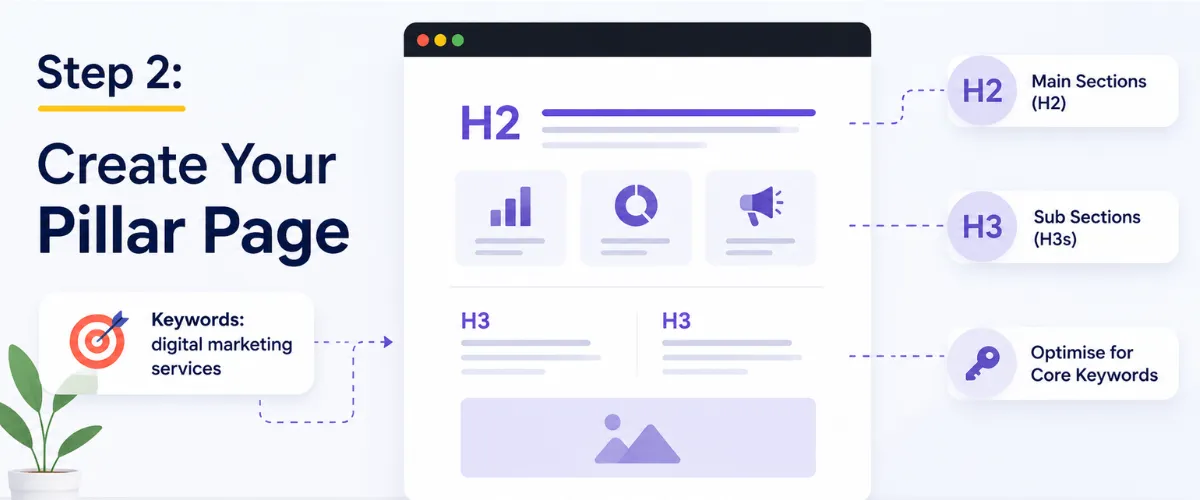
This is your anchor content. Make it comprehensive:
Create 5–10 cluster pages, each addressing a subtopic. For instance:
Internal links should be inviting, not deceitful. Anchor text variation is important:
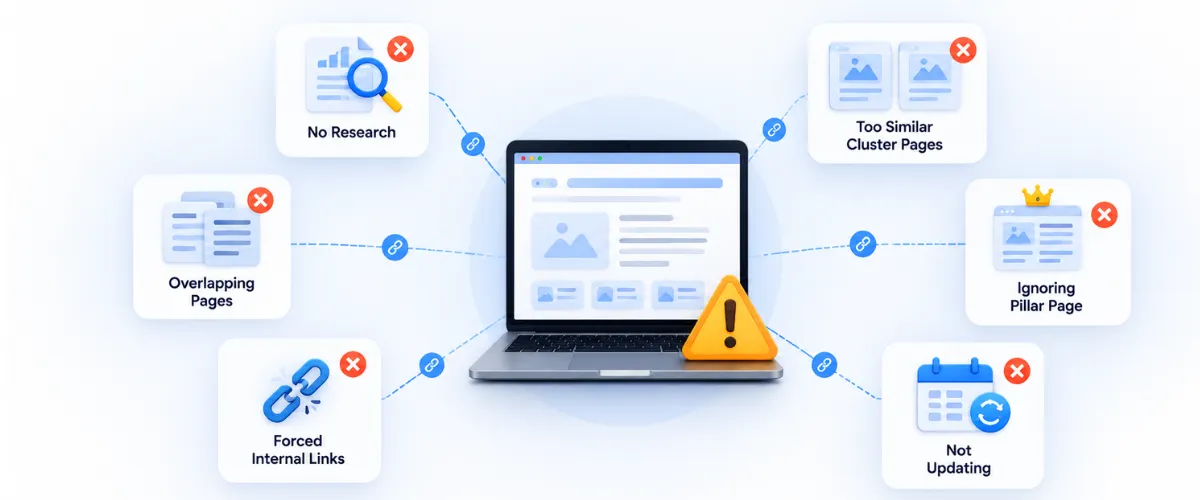
Even a well-planned content cluster can underperform if the pages aren’t connected or each page doesn’t have a clear purpose. Avoid these common mistakes:
| Tool | Best For | How It Helps Build Content Clusters |
|---|---|---|
| Ahrefs | Keyword & competitor research | Find related keywords, ranking pages, content gaps, and potential cluster topics. |
| Semrush | Topic & keyword research | Identify related keywords, questions, competitors, and content opportunities around a topic. |
| Google Search Console | Performance analysis | Discover queries and pages already generating impressions or clicks, helping you identify content gaps and expansion opportunities. |
| Google Keyword Planner | Keyword discovery | Find related search terms and estimate keyword demand when planning pillar and cluster topics. |
| Google Analytics | User behaviour | Evaluate how visitors interact with your content and identify pages that can be connected or expanded. |
Content clusters are an SEO strategy that connects related content around a central topic to build topical relevance, strengthen internal linking, and improve organic visibility. A well-planned content cluster typically includes a comprehensive pillar page, supporting cluster pages, and contextual internal links that connect them into one clear topic structure.
For businesses competing in search, content clusters make it easier to cover related keywords and address different search intents without creating disconnected blog posts. For example, a Creative Agency in India can build a content cluster around digital marketing, with supporting content covering SEO strategy, content marketing, B2B SEO, and other relevant subtopics.
At Blacklisted, a creative agency in India, we use structured content strategies to help businesses organise their expertise into useful, interconnected resources. This guide explains content clusters, why they matter for SEO, how to build them step by step, common mistakes to avoid, and the tools you can use to create a stronger content cluster strategy.

We are your go-to source for everything digital. We cover marketing tips, design trends, new tech, and how to build your brand. Every post has useful information to keep you updated and ready to tackle the digital world. It’s not just articles; it’s a way to learn, grow, and connect with others navigating the same digital journey.