case study

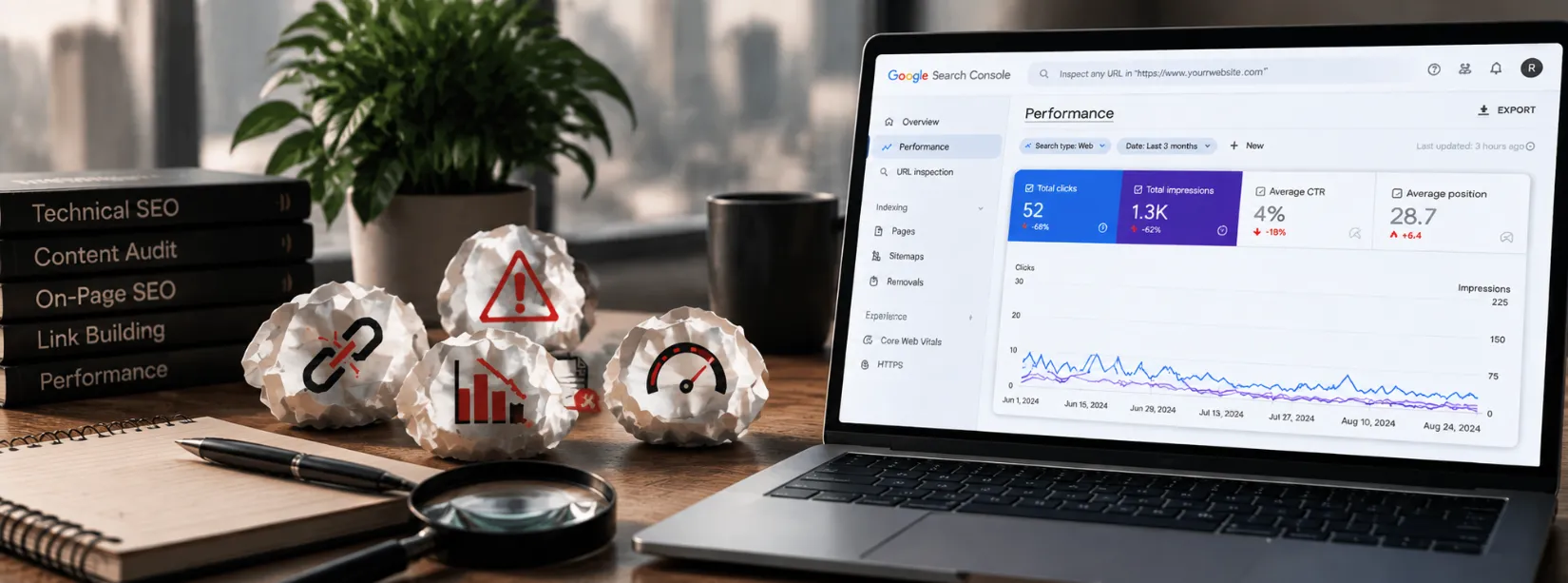
Most businesses don’t fail with SEO because of major mistakes, but overlooked SEO issues that quietly eat away at rankings and traffic. From slow websites and poor mobile experiences to ignoring search intent and outdated content, these problems can hold your brand back. The good news? Each issue has a simple fix. With the right strategy, SEO for businesses can be less about panic and more about long-term growth.
SEO issues are problems that can make it harder for search engines to crawl, index, understand, or rank your website. They can affect technical SEO, content quality, search intent, page speed, mobile usability, internal linking, and website structure.
Common SEO issues include slow page speed, indexing errors, crawlability problems, broken links, duplicate content, weak internal linking, poor meta tags, keyword stuffing, outdated content, thin content, and incorrect structured data.
These problems can reduce your website’s organic visibility, traffic, and ability to reach the right audience. The good news is that most SEO issues can be identified through tools such as Google Search Console, GA4, PageSpeed Insights, and SEO crawlers, then fixed based on their impact.
In this guide, you’ll learn 12 common SEO issues, why they happen, how to identify them, and practical ways to fix them so your website can provide a better experience for both search engines and users.
SEO issues are problems on a website that can make it harder for search engines to crawl, index, understand, or rank its pages.
They can be technical, content-related, on-page, structural, or related to user experience.
Some SEO issues are easy to spot, such as a broken page or missing title tag. Others are less obvious, such as a page being excluded from indexing, having no internal links, targeting the wrong search intent, or competing with another page for the same topic.
Common SEO issues include:
Not every issue has the same impact. The goal of an SEO audit is not to fix everything at once. It is to identify the problems that can have the greatest effect on your website and address those first. A clear effective SEO strategy can help you prioritize these issues, improve search visibility, and build sustainable organic growth.
You do not need to guess what is wrong with your website.
Start with a combination of Google Search Console, GA4, PageSpeed Insights, and a website crawler such as Screaming Frog.
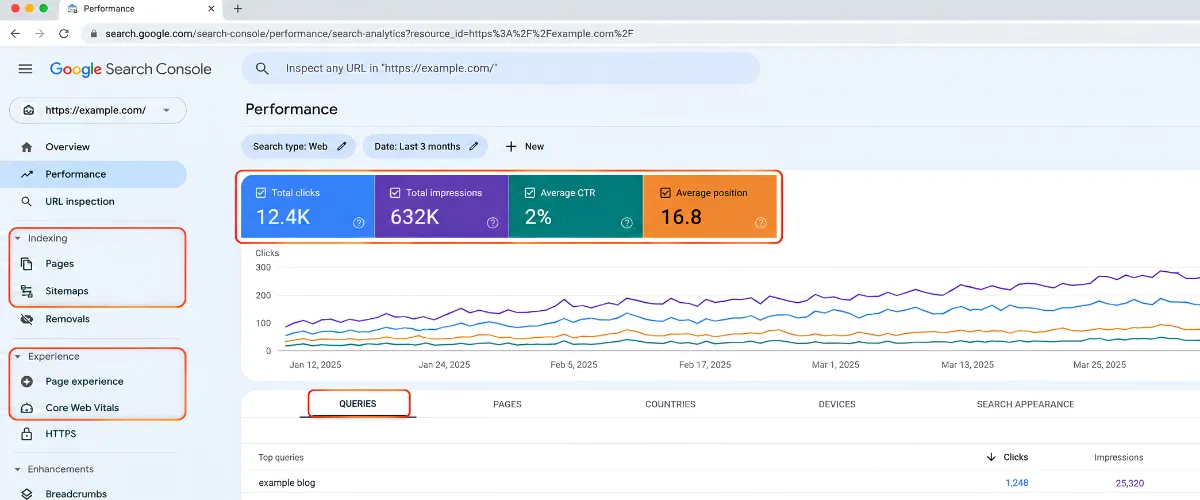
Use Search Console to check:
If a page is receiving thousands of impressions but very few clicks, the problem may be related to search intent, ranking position, or the way your title and snippet appeal to users. Understanding what is a SERP can also help you see how your page appears alongside other search results.
If an important page is not indexed, investigate that before spending time on further content optimization.
GA4 helps you understand what happens after visitors arrive.
Look for:
Use PageSpeed Insights to investigate performance and Core Web Vitals.
Website crawlers
A crawler can help uncover issues such as:
The most effective approach is to combine these tools rather than rely on one SEO score.
Website crawlers scan your website and can uncover technical and on-page SEO issues across multiple URLs.
Tools such as Screaming Frog can help identify:
Run a crawl of your website and prioritize issues affecting important pages rather than trying to fix every warning at once.
Not every SEO problem has the same impact. Some can prevent important pages from being indexed, while others can reduce clicks, weaken user experience, or limit organic visibility. The following 12 common SEO issues are worth checking first, along with practical fixes you can apply to your website.
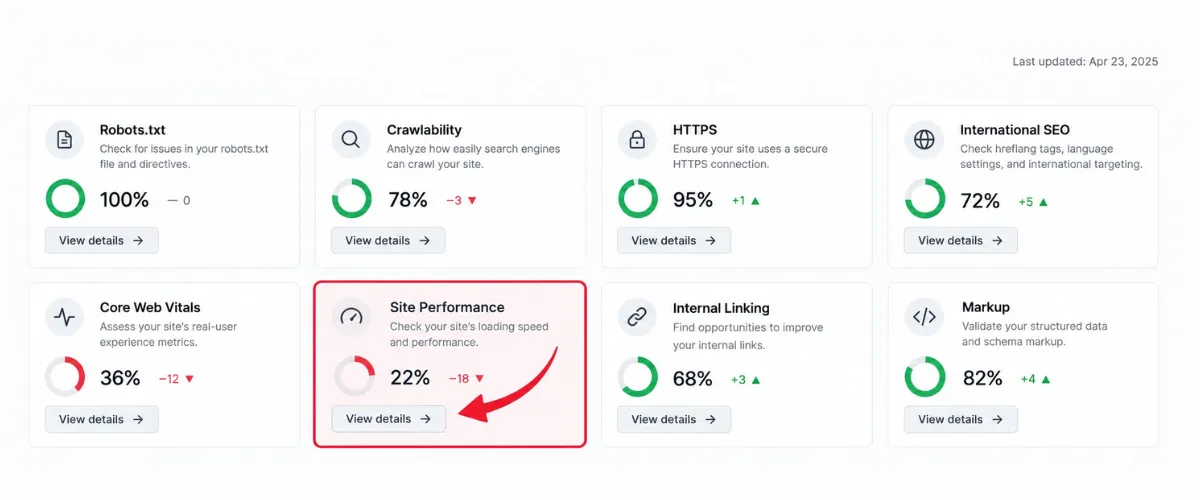
A slow website can frustrate visitors before they even see your content.
Core Web Vitals focus on important aspects of page experience, including loading performance, responsiveness, and visual stability.
Common causes of poor performance include:
Start by identifying the largest performance problems rather than trying to optimize every element at once.
Compress and resize images, remove unnecessary scripts, improve caching, reduce unused code, and review server response times.
Then retest your important landing pages.
Quick check: Start with pages that already receive organic traffic. Improving an important landing page can be more valuable than optimizing a page that nobody visits.
Google primarily uses the mobile version of a website for indexing.
That makes mobile usability an SEO requirement, not an optional design feature.
A page can technically load on a phone and still provide a poor mobile experience.
Watch for:
Test important pages on real mobile devices as well as browser tools.
Use responsive layouts, readable text, properly sized images, accessible navigation, and buttons that are easy to tap.
Do not optimize only for Google’s crawler. A page that works technically but frustrates visitors still has a user-experience problem.
Before Google can understand your page, it needs to be able to crawl it.
Crawlability problems can happen when important pages are blocked by:
Review your robots.txt file and make sure important sections of your website are not accidentally blocked.
Then check your important URLs in Google Search Console’s URL Inspection tool.
Also make sure important pages can be reached through internal links.
A page that is technically live but isolated from the rest of the website can still be difficult for search engines and users to discover.
Crawling and indexing are not the same thing.
A search engine may discover a URL without ultimately including it in its index.
Common indexing problems include:
Start with Google Search Console.
Inspect the URL and determine why Google is not indexing it.
Then check:
Do not request indexing repeatedly without fixing the underlying issue first.

Duplicate content occurs when substantially similar content appears on more than one URL.
This can happen because of:
Duplicate content does not automatically mean a penalty, but it can make it harder for search engines to determine which URL should be shown.
First identify which version should be the primary page.
Depending on the situation, you may:
Do not create several pages targeting the same query simply because you want more opportunities to rank.
Semrush similarly recommends identifying duplicate pages and using unique content, canonical tags, or redirects where appropriate.
Broken links create dead ends for visitors and can make website maintenance harder.
They commonly appear after:
Run a crawl and identify internal links returning errors.
For each broken link, decide whether to:
Do not redirect every broken URL to the homepage. The replacement should make sense for the original visitor.
An XML sitemap helps search engines discover URLs you consider important.
However, adding every URL to a sitemap does not automatically make those pages valuable or indexable.
Your sitemap should generally contain the canonical URLs you want search engines to discover.
Avoid including:
Review your sitemap regularly and compare it with your indexable pages.
Then submit the correct sitemap through Google Search Console.
Google recommends submitting a sitemap to help keep Google informed about changes to your website.
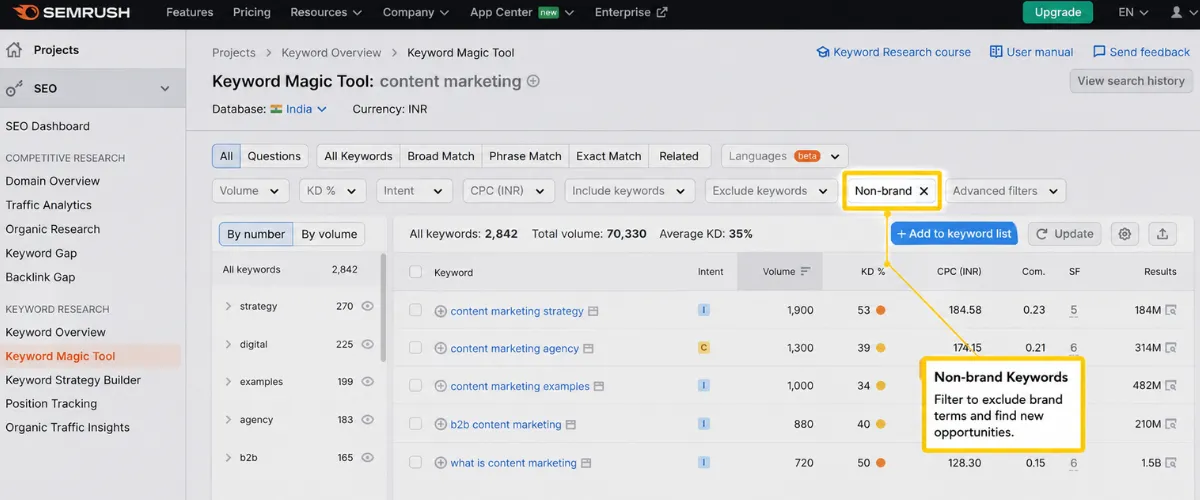
Using a keyword naturally is useful.
Repeating it until the content sounds unnatural is not.
For example, a paragraph that repeatedly says:
SEO issues are important because SEO issues affect SEO rankings and SEO issues should be fixed for better SEO.
does not help the reader.
Write around the topic instead of a single keyword.
Use:
For this article, related phrases include:
The objective is not to hit a keyword density number.
The objective is to make the page the best answer to the topic.
Want to learn more? Read our complete guide on Keywords in SEO to understand how to use keywords naturally and effectively in your content.
Internal links help users move between related pages and help search engines understand relationships between pages.
A strong internal linking structure can connect:
For example, an SEO issues article can naturally connect to content about SEO strategy, SERPs, SEO funnels, website traffic, and SEO services.
When reviewing a page, ask:
Avoid adding links simply to increase the number of links.
Each link should help the reader move to the next useful piece of information.
A page can rank and still receive very few clicks.
One reason is a weak search snippet.
Common problems include:
Your title should clearly communicate what the page answers.
Your meta description should reinforce that promise without stuffing keywords.
Remember that meta descriptions can influence clicks, but they are not a direct ranking factor.
A page can be well-written and technically optimized but still struggle to rank if it does not match what people expect when they search for a query.
Search intent is the reason behind a search. Someone searching for “what is SEO” is looking for an explanation, while someone searching for “SEO agency in India” may be comparing or looking for a service provider.
Common signs of search intent mismatch include:
Start by searching your target keyword and reviewing the pages that currently rank.
Look at:
Then align your page with that intent without simply copying competing content.
For example, if Google primarily shows beginner-friendly guides for a query, a highly promotional service page may struggle to rank. Similarly, if search results are dominated by service pages, a basic informational article may not satisfy the same intent.
Quick check: If a page has good impressions but poor rankings or clicks, compare its content and format with the current search results. The problem may not be the keyword itself but the intent your page is trying to satisfy.
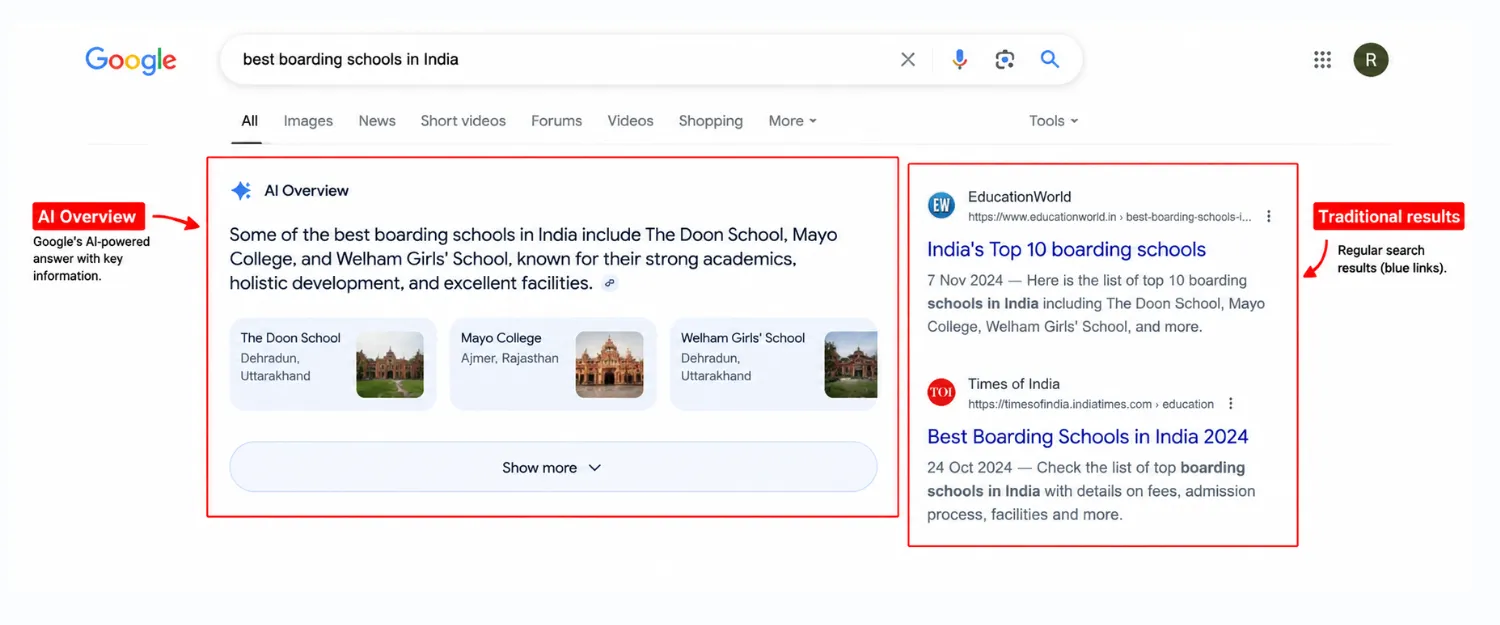
Search is no longer limited to traditional blue links.
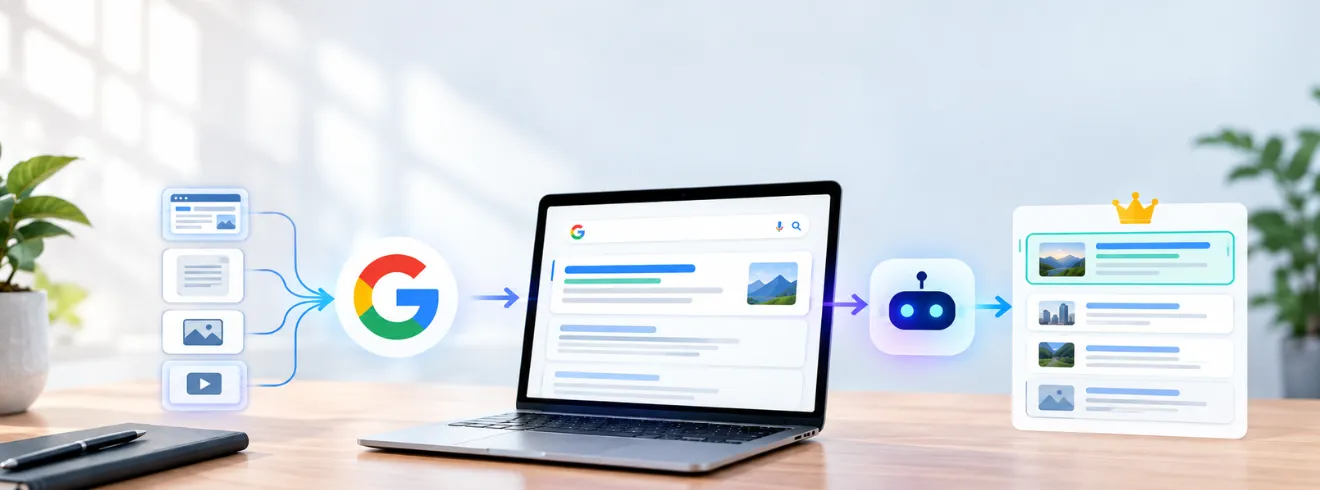
People increasingly discover information through AI-powered search experiences and conversational systems. If you want to understand how Google’s AI-powered search works, read our guide on Google Search AI.
That does not mean traditional SEO is dead.
It means the information on your website needs to be clear enough for search systems to understand.
Focus on:
Do not write content specifically for an imagined AI algorithm.
Write the clearest possible answer for humans and structure the information so search systems can understand it.
Google’s current documentation notes that AI Overviews and AI Mode use web sources as part of their search experience, making crawlable, useful web content important to continued search visibility.
Use this checklist when auditing a website:
You do not need dozens of tools.
A practical SEO audit stack can include:
| Tool | What to check |
|---|---|
| Google Search Console | Indexing, queries, clicks, impressions, CTR |
| Google Analytics 4 | Organic traffic and conversions |
| PageSpeed Insights | Performance and Core Web Vitals |
| Screaming Frog | Crawlability, links, metadata, redirects |
| Rich Results Test | Structured data eligibility |
| Google URL Inspection | Crawling and indexing status |
SEO issues rarely appear all at once. More often, rankings and organic traffic decline because several smaller problems are left unresolved. A page may not be indexed, an old article may no longer match search intent, internal links may be weak, images may slow the site down, or page titles may no longer align with what people are searching for.
The best way to fix SEO issues is to identify the problems affecting your most important pages, resolve technical barriers first, improve content and search intent, strengthen internal linking, and monitor the results in Google Search Console and analytics.
SEO is not a one-time checklist. As your website, content, competitors, and search behavior change, new SEO issues can appear and existing pages may need further optimization.
At Blacklisted, a creative agency in India, we approach SEO with a focus on sustainable organic growth, combining technical SEO, content optimization, search intent, and data-driven improvements to help businesses attract the right audience.
The goal is not simply to make a website look perfect in an SEO audit tool. The goal is to build a website that search engines can crawl, index, understand, and trust and that people genuinely find useful.
If your website is facing persistent ranking or traffic problems, a structured SEO audit can uncover the SEO issues holding your website back and show you exactly where to focus your next optimization effort.

We are your go-to source for everything digital. We cover marketing tips, design trends, new tech, and how to build your brand. Every post has useful information to keep you updated and ready to tackle the digital world. It’s not just articles; it’s a way to learn, grow, and connect with others navigating the same digital journey.